
How to Setup Lead Survey 如何設定名單調查問卷
.png?inst-v=8c7d6269-2969-49ae-8ec0-ab72c3aae009)
.png?inst-v=8c7d6269-2969-49ae-8ec0-ab72c3aae009)
Tap “Lead Survey Setup” to create custom questions for your leads.
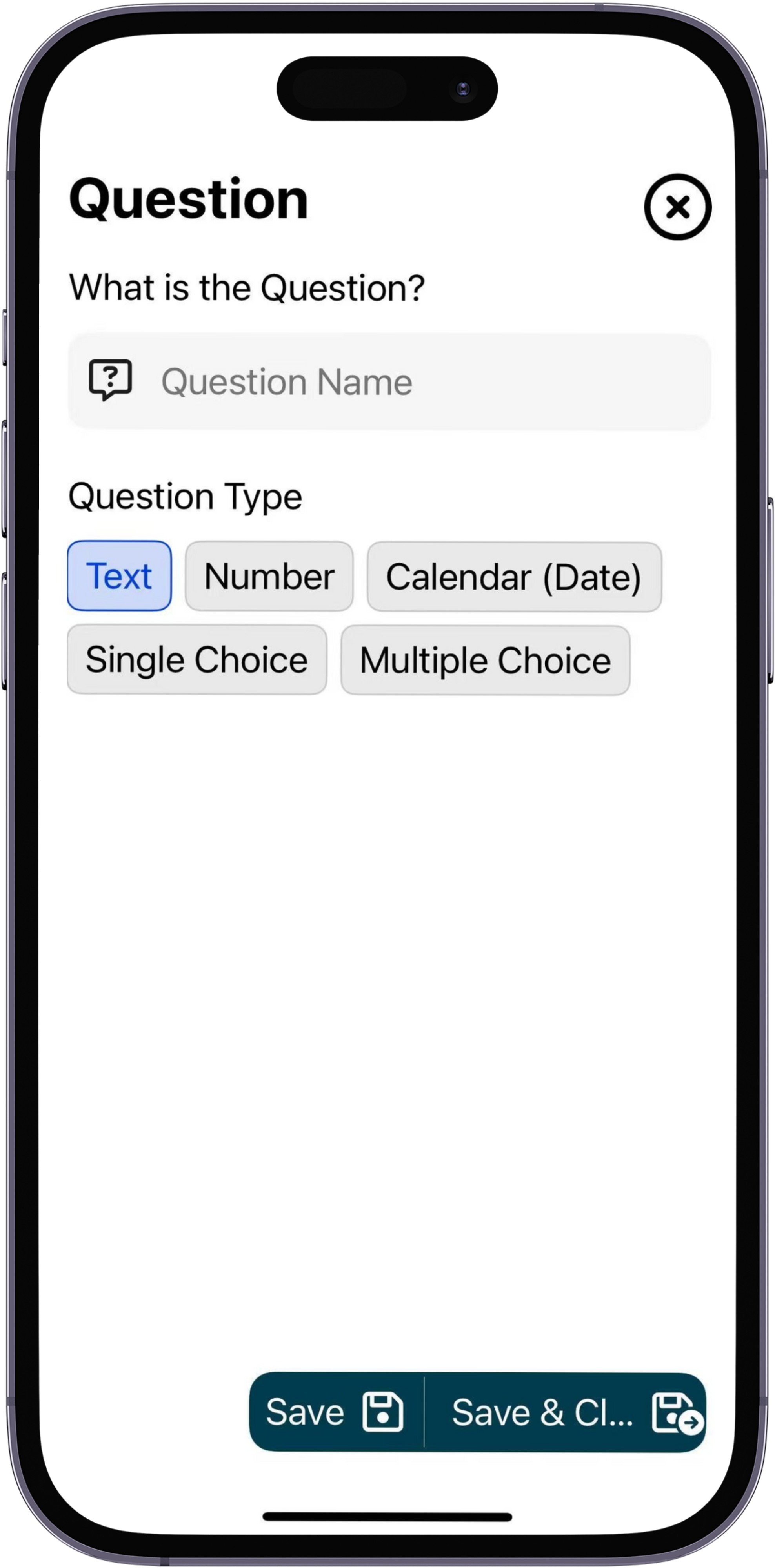
You can personalize these questions using text boxes, numbers, calendars (dates), single-choice, or multiple-choice options to suit your needs.
點擊「潛在客戶調查設定」以建立自訂問題。
您可以依照需求設定文字輸入欄、數字、日曆(日期)、單選或多選選項。
.png?inst-v=8c7d6269-2969-49ae-8ec0-ab72c3aae009)
.png?inst-v=8c7d6269-2969-49ae-8ec0-ab72c3aae009)
Tap “Add a Question” to begin setting up your questions.
點擊 「新增問題」 開始設定您的問題。
.png?inst-v=8c7d6269-2969-49ae-8ec0-ab72c3aae009)
Enter the question title and select the question type based on your preference.
輸入問題標題,並根據您的需求選擇問題類型。